

Call Logs
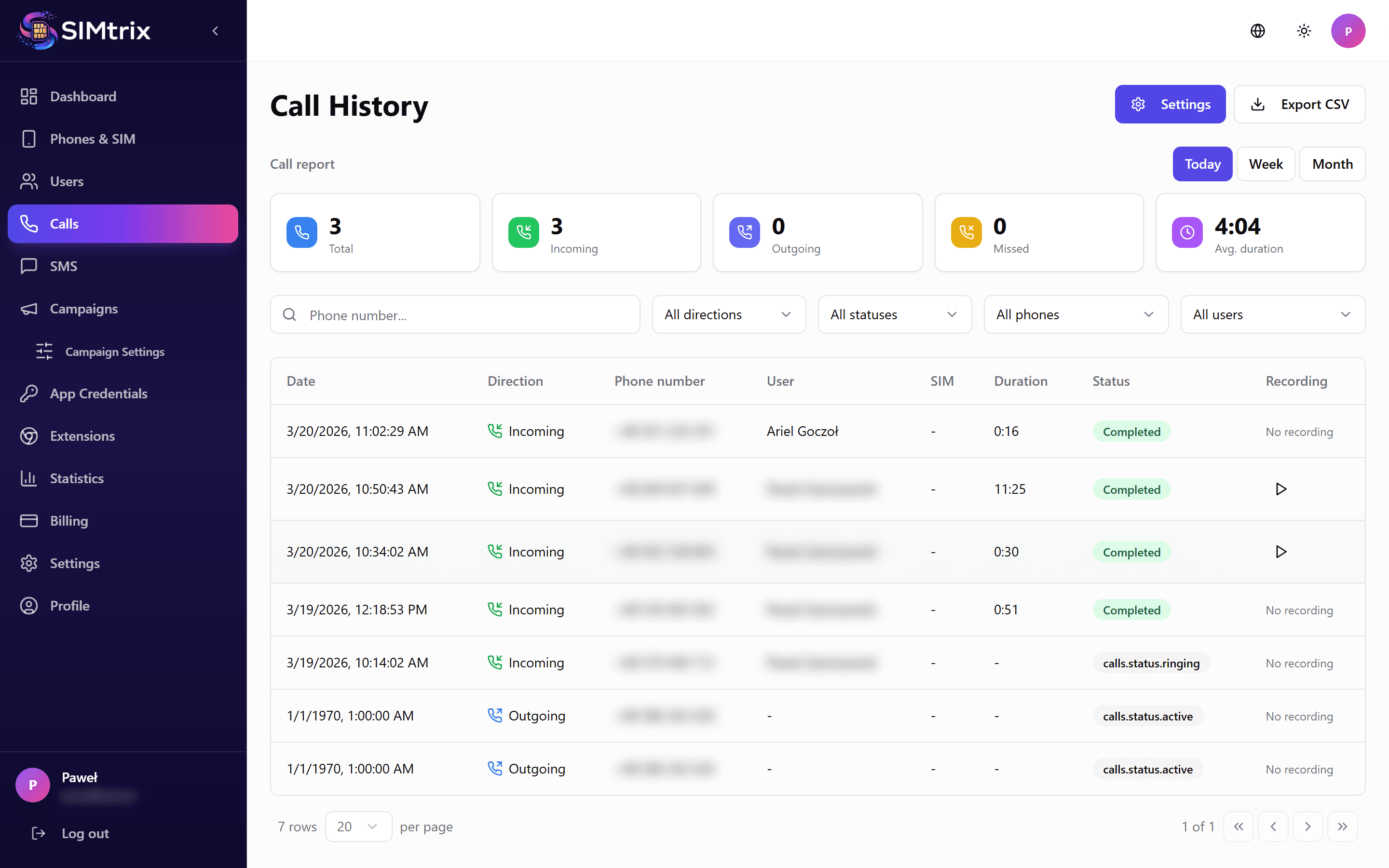
Viewing Call History
Navigate to the Calls section in your SIMtrix dashboard. You will see a chronological list of all calls processed through SIMtrix: outbound and inbound, answered and missed. Each entry shows the phone number, contact name (if matched in CRM), direction, duration, timestamp, and status.
Filtering and Searching
Use the filters at the top of the call log to narrow results: filter by date range, direction (inbound/outbound), user, phone number, or status (answered/missed). The search bar lets you find specific numbers or contact names.
Call Details
Click on any call entry to see full details: the exact start and end time, assigned SIM/user, Bitrix24 CRM entity it was linked to, recording (if available), and logging status (whether the call was successfully recorded in Bitrix24).
Exporting Logs
Call logs can be viewed in the SIMtrix dashboard and are also available in Bitrix24 on the contact timeline. The SIMtrix dashboard provides a centralized view across all users and phones.